
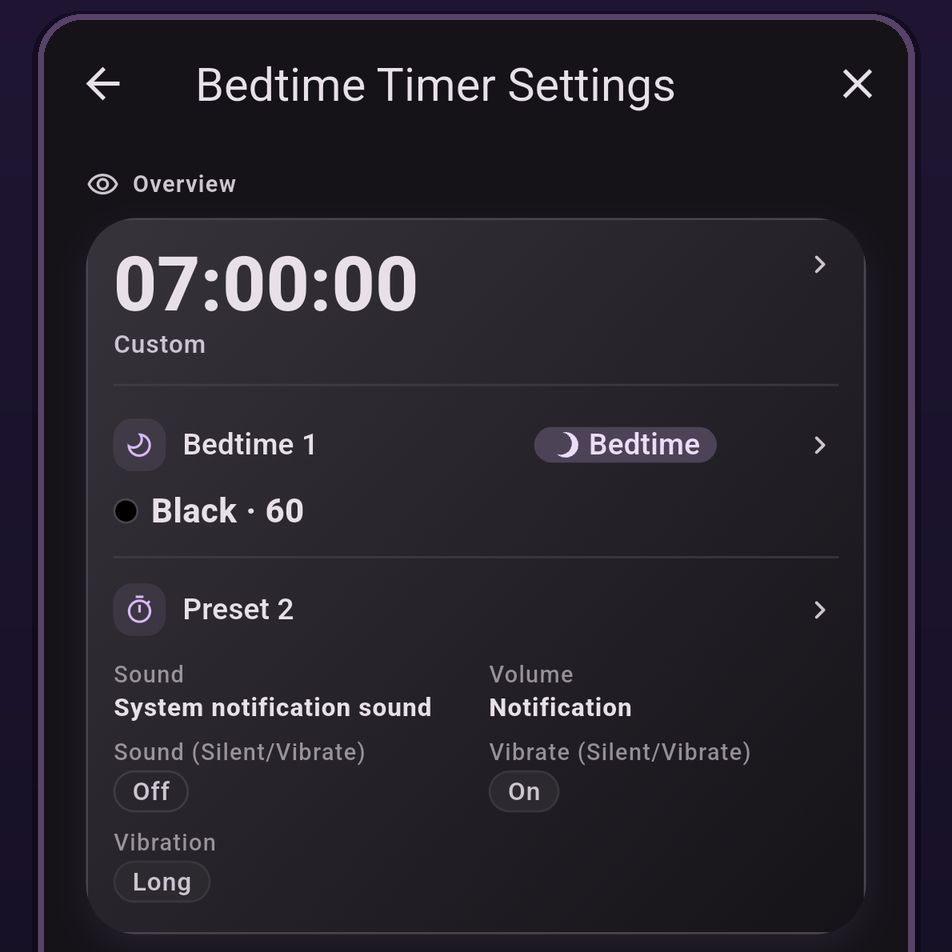
For reading before bed
Dimming + a 7-hour timer
Built-in routine “Bedtime Timer” · free
- Dimming starts at your preferred level
- A timer, such as 7 hours, runs while the screen stays dimmed
- Choose whether dimming stays on or turns off when it ends
For Android · Dimmer, timer & Pomodoro
Use the dimmer, timer and Pomodoro on their own, or combine them into a routine. Dimodoro for Android saves combinations such as “dimming + a 7-hour timer” or “dimming + a 25-minute work / 5-minute break Pomodoro” as one routine you can start together, without setting each one up every time.
Dimming, timers, Pomodoro and built-in routines work without signing in or making a purchase.
Android 7.0 or later · Core features are free (with ads)
Available on Google Play in Japan, the United States, Canada, Australia and New Zealand.
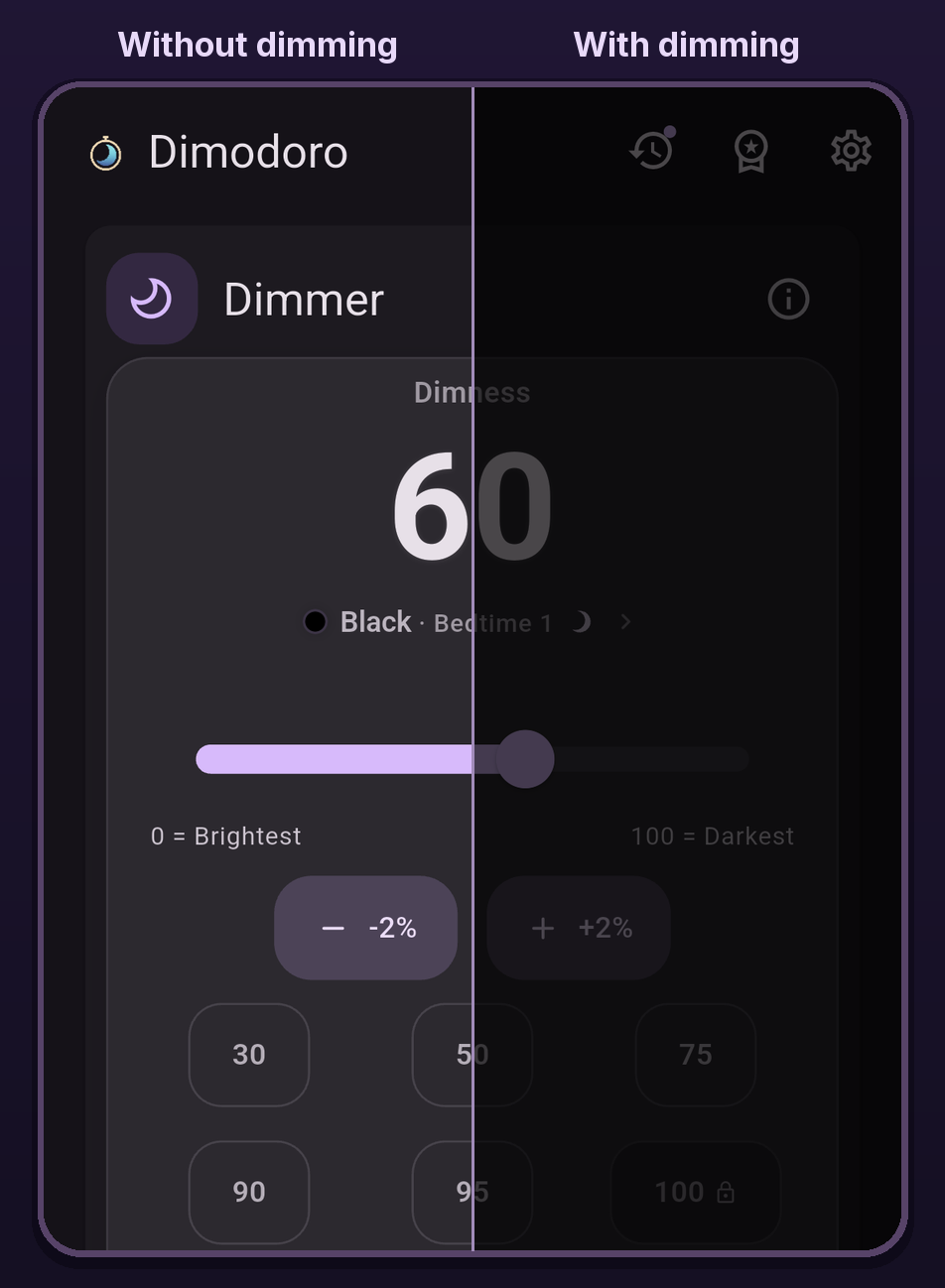
What Dimodoro does
The dimmer, timer and Pomodoro each work on their own. When you want to combine them, save the steps as a routine and start it all at once. Routines are optional; you do not need to set one up to use a single feature.
For reading before bed
Built-in routine “Bedtime Timer” · free
For study or work
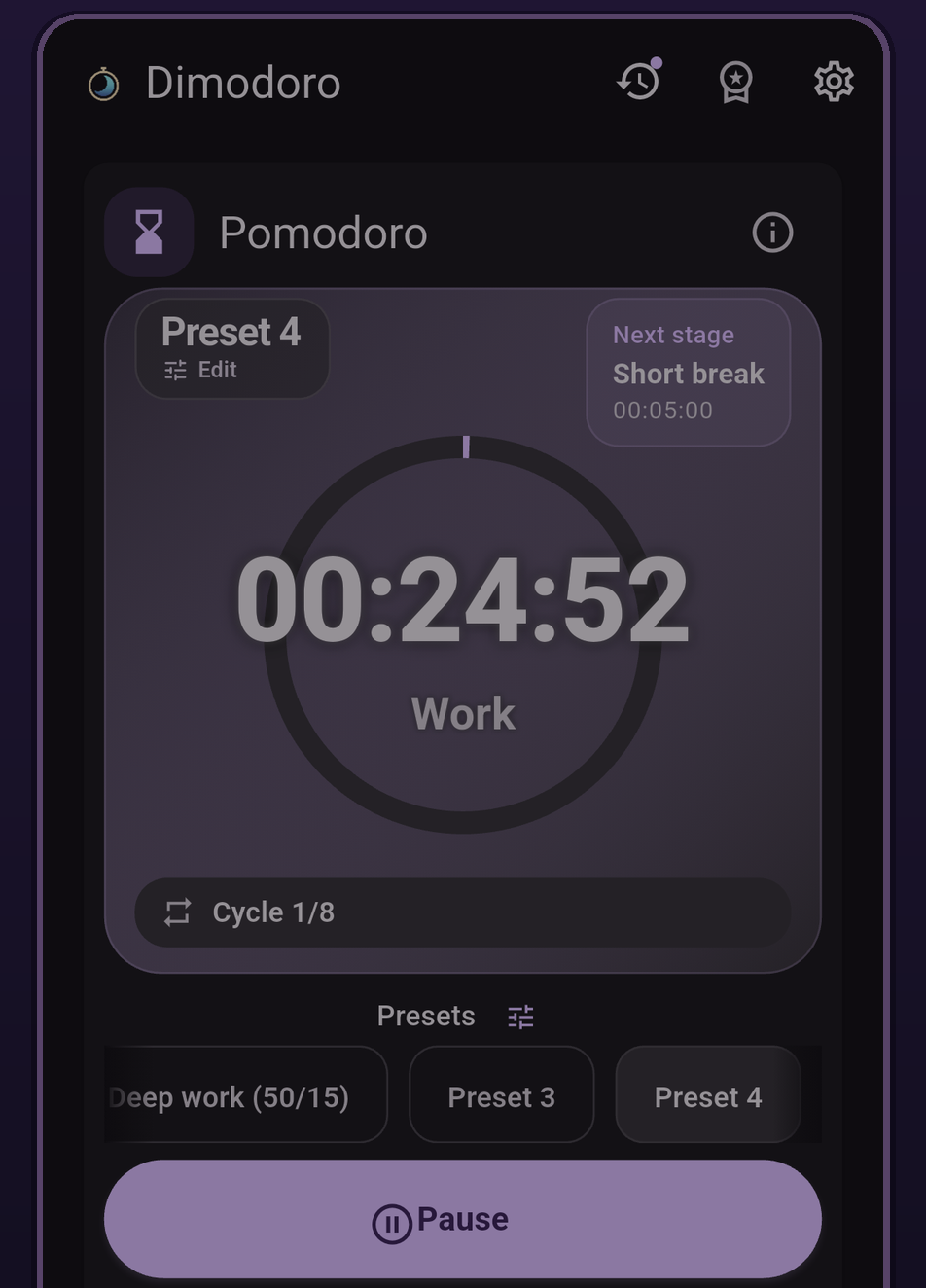
Built-in routine “Distraction Shield” · free
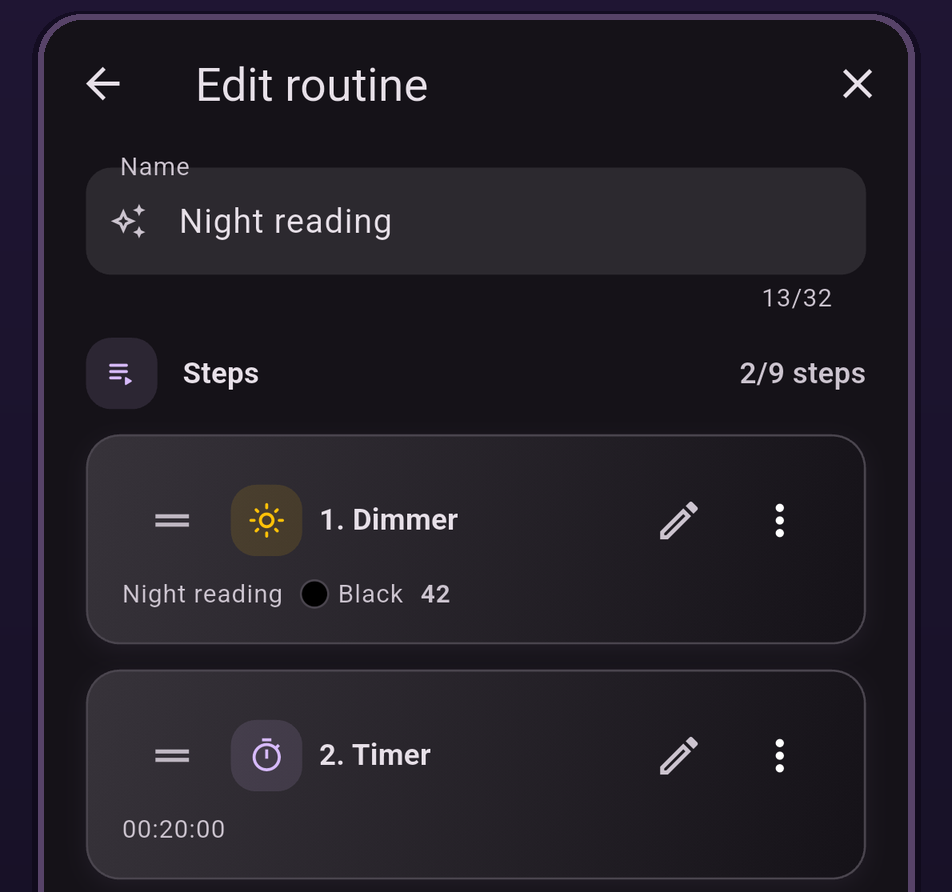
For a daily workout
Custom routine (you create it)
The built-in routines Distraction Shield and Bedtime Timer are free. Creating and editing custom routines is free; you get one free run every 23 hours, and each extra run uses 1 ticket (no tickets or wait while Plus is active). See “Plans and pricing” below.
The dimmer, timer and Pomodoro each work on their own
For reading at night or before bed
Reduce screen glare by adjusting dimness and color. Works on its own. Save your favorite settings as presets to use the same dimness next time.
Decide on “10 more minutes” in advance
A countdown timer that works on its own. Set a duration so reading or work has a clear end.
Breaks for focused time, too
A timer that alternates work and breaks, and works on its own. Splitting time into blocks makes it easier to get started.
Bundle your usual setup
Only when you want to, combine dimming, timers and Pomodoro and save them, then start your usual flow all at once.
Try any feature for free.
Available on Google Play in Japan, the United States, Canada, Australia and New Zealand. Requires Android 7.0 or later.

Free, Plus, and what is not supported
The core features are free. Plus is an optional paid subscription that removes ads and the waits and tickets for custom routines.
| Item | Free (standard) | Plus (optional) |
|---|---|---|
| Price | Free | US$2.99/month or US$29.99/year in the US. Other countries are listed below |
| Dimming, timers, Pomodoro and built-in routines | Included, with no sign-in or purchase | Included |
| Ads | Banner ads | Ad-free while Plus is active |
| Custom routines | Create and edit for free. One free run every 23 hours; each extra run uses 1 ticket | Run custom routines without tickets or the Free cooldown while Plus is active |
| Quick Settings | Temporary access for 1 ticket | Quick Settings without tickets while Plus is active |
| Presets | Save up to 3 per category (dimming, timer, Pomodoro) | All preset slots while Plus is active |
| Home dimness chips | Standard dimness chips | Customize them with saved preset dimness and color while Plus is active |
| Country | Monthly | Yearly |
|---|---|---|
| United States | US$2.99 | US$29.99 |
| Canada | C$3.99 | C$39.99 |
| Australia | A$4.99 | A$49.99 |
| New Zealand | NZ$5.99 | NZ$59.99 |
| Japan | ¥300 (tax incl.) | ¥3,000 (tax incl.) |
Prices as of November 2026. The final price and tax shown on the Google Play purchase screen take precedence.
What the numbers mean
Before you install
Getting started
Follow the on-screen guide to set the Android permission that dimming needs.
Adjust it little by little with the slider. Save your preferred dimness and color as a preset.
Use a timer or Pomodoro as needed, and save combinations you use often as a routine.
Good to know before you start
Dimodoro is available on Google Play in Japan, the United States, Canada, Australia and New Zealand. Check Google Play for supported devices and requirements.
Get it free on Google PlayNo. Dimodoro is Android-only and is not available for iPhone, iPad or computers.
Yes. Dimming, timers and Pomodoro each work on their own. Routines are optional, so you do not need to set one up to use a single feature. To combine them, use a routine.
No. Dimming, timers, Pomodoro and built-in routines work without signing in or making a purchase. Buying Plus and using cloud backup require linking a Google account in the app.
Core dimming, timers and Pomodoro are free. The free version shows banner ads, and running custom routines is limited by the free cooldown or tickets.
Plus is a paid subscription: US$2.99 per month or US$29.99 per year in the US. See “Plans and pricing” for other countries. While Plus is active, there are no ads and custom routines need no tickets or Free cooldown. The final price and tax shown on the Google Play purchase screen take precedence.
Cancel from Subscriptions in Google Play before the next billing period starts. You can keep using Plus until the end of the period you have paid for.
Uninstalling the app or deleting your Dimodoro account does not cancel the Google Play subscription.
Open Google Play SubscriptionsNot with regular (app-only) dimming. If you turn on Advanced dimming yourself, Dimodoro uses Android’s Accessibility Service to extend dimming to the lock screen and notification shade.
This feature does not collect, store or transmit screen text, passwords or user input.
Dimming places a translucent dark layer over the screen without changing your phone’s brightness setting, so you can combine it with the lowest brightness.
With Advanced dimming turned on, the same level is significantly darker than app-only dimming. If it gets too dark, stop dimming with the in-app switch.
You can choose from five dimming colors: Black, Warm, Sepia, Amber and Gray. We have not measured how much of any particular kind of light is reduced, so we do not state a figure.
Dimming settings and presets are stored on your device. To improve quality and investigate problems, the app may send usage data to Firebase Analytics and crash reports to Firebase Crashlytics. You can turn off usage analytics in the app’s settings; crash reporting continues either way.
Ads in the free version use Google AdMob, and accounts for Plus and cloud backup use Firebase Authentication. See the Privacy Policy for details.
Privacy PolicyUse “Data deletion request” in the app’s settings. If you cannot use the app, the web deletion page explains the data covered and the steps.
Account and data deletionAvailable on Google Play in Japan, the United States, Canada, Australia and New Zealand.
Check Google Play for supported devices and requirements. The app may not be available outside these countries or on unsupported devices.
Dimodoro is developed and operated by Fujimi.
Send questions or feedback about the app by email.